
With growing reliance on cloud applications, video conferencing, smart devices, and high-speed internet, choosing the right router has become more important than ever. Wi-Fi 6 routers are designed to meet these modern connectivity demands—but not every Wi-Fi 6 router fits every network.
This guide explains what to look for when choosing the right Wi-Fi 6 router based on your network size, usage, and performance expectations.
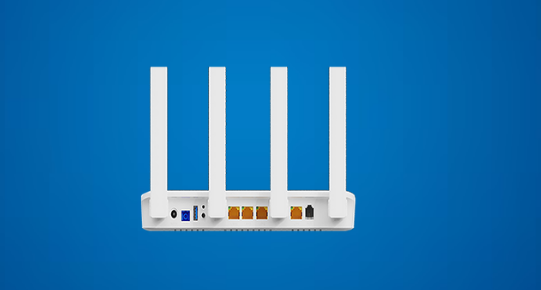
What Is a Wi-Fi 6 Router?
Wi-Fi 6 (also known as 802.11ax) is the latest generation of wireless technology, built to deliver higher speeds, better efficiency, and improved performance in device-dense environments. Unlike older Wi-Fi standards that focus mainly on speed, Wi-Fi 6 improves how data is shared across multiple devices at the same time.
A Wi-Fi 6 router is ideal for environments where many users and devices connect simultaneously—such as offices, homes with smart devices, retail spaces, and commercial networks.
1. Understand Your Network Size and Coverage Needs
The first step in choosing the right Wi-Fi 6 router is understanding where and how it will be used.
- Small homes or apartments typically require a standard Wi-Fi 6 router with moderate coverage.
- Large homes, offices, or multi-floor spaces may need routers with extended range or mesh compatibility.
- Commercial or enterprise environments require consistent coverage across larger areas with minimal signal drop.
Always check the router’s coverage rating and antenna design to ensure it matches your space.
2. Consider the Number of Connected Devices
Modern networks often support dozens of connected devices—smartphones, laptops, IP phones, cameras, printers, and IoT devices.
Wi-Fi 6 routers are designed to handle this load efficiently using technologies like OFDMA and MU-MIMO, which allow multiple devices to transmit data simultaneously.
If your network includes:
- Multiple users
- Smart office or smart home devices
- High device density
Choose a Wi-Fi 6 router optimized for high-capacity performance rather than just raw speed.
3. Choose Between Single-Band and Dual-Band Wi-Fi 6
Most Wi-Fi 6 routers are dual-band, operating on both 2.4 GHz and 5 GHz bands.
- 2.4 GHz offers wider coverage and better wall penetration.
- 5 GHz delivers faster speeds and lower interference.
A dual-band Wi-Fi 6 router intelligently balances traffic between bands, ensuring stable performance even during peak usage. For most business and professional networks, dual-band support is essential.
4. Evaluate Speed and Performance Requirements
While Wi-Fi 6 routers advertise high speeds, actual performance depends on how the network is used.
Consider your primary applications:
- Video conferencing and VoIP
- Cloud-based software
- Streaming and file transfers
- Online collaboration tools
Choose a router that supports consistent throughput and low latency, not just peak speed numbers. This is especially important for business-critical communication and real-time applications.
5. Look for Advanced Network Management Features
Modern Wi-Fi 6 routers offer advanced management tools that make network control easier and more secure.
Key features to look for include:
- Quality of Service (QoS) for prioritizing traffic
- VLAN or network segmentation
- Guest network support
- Centralized or remote management options
These features are especially valuable for business networks and managed IT environments.
6. Security Capabilities Matter
Network security is no longer optional. A good Wi-Fi 6 router should support:
- Latest wireless security standards
- Strong encryption
- Firewall and access control options
- Regular firmware updates
For businesses handling sensitive data or customer information, security-focused router features are critical for protecting the network.
7. Wired Connectivity and Expansion Options
Even in wireless networks, wired connectivity remains important.
Check for:
- Adequate LAN ports
- High-speed Ethernet support
- Compatibility with switches or access points
This ensures smooth integration with existing infrastructure and allows the network to scale as requirements grow.
8. Plan for Future Network Growth
A Wi-Fi 6 router is a long-term investment. Choose a solution that supports:
- Network expansion
- Increased device count
- Higher bandwidth requirements
Future-ready routers reduce the need for frequent upgrades and help maintain consistent performance as your network evolves.
Final Thoughts
Choosing the right Wi-Fi 6 router is not just about speed—it’s about matching the router’s capabilities to your network’s real-world needs. By considering coverage, device count, performance, security, and scalability, you can build a reliable and efficient wireless network that supports today’s demands and tomorrow’s growth.
UBIQCOM offers a range of reliable networking solutions designed to support modern communication environments. With a focus on performance, scalability, and dependable connectivity, UBIQCOM helps businesses and users build networks that are ready for today’s digital demands and prepared for future growth.